
7 Risks of Running DOOH and Kiosk Networks on Someone Else’s Wi‑Fi
If you run digital screens, kiosks, or a retail media network, you already know that uptime is everything. When a screen is online, it can deliver ads, promotions, and experiences that drive revenue. When it goes offline, that revenue opportunity disappears.
Many operators start out using the Wi‑Fi that is already available in stores, malls, and venues. That is a natural first step. As networks grow and start carrying real ad revenue, the conversation often shifts toward connectivity that the operator can see, manage, and rely on.
This post walks through the 7 risks of running DOOH and kiosk networks on someone else’s Wi‑Fi. The goal is not to critique venue partners or existing networks. It is to help you spot hidden friction points and think through how they can affect impressions, proof‑of‑play, and ad revenue.
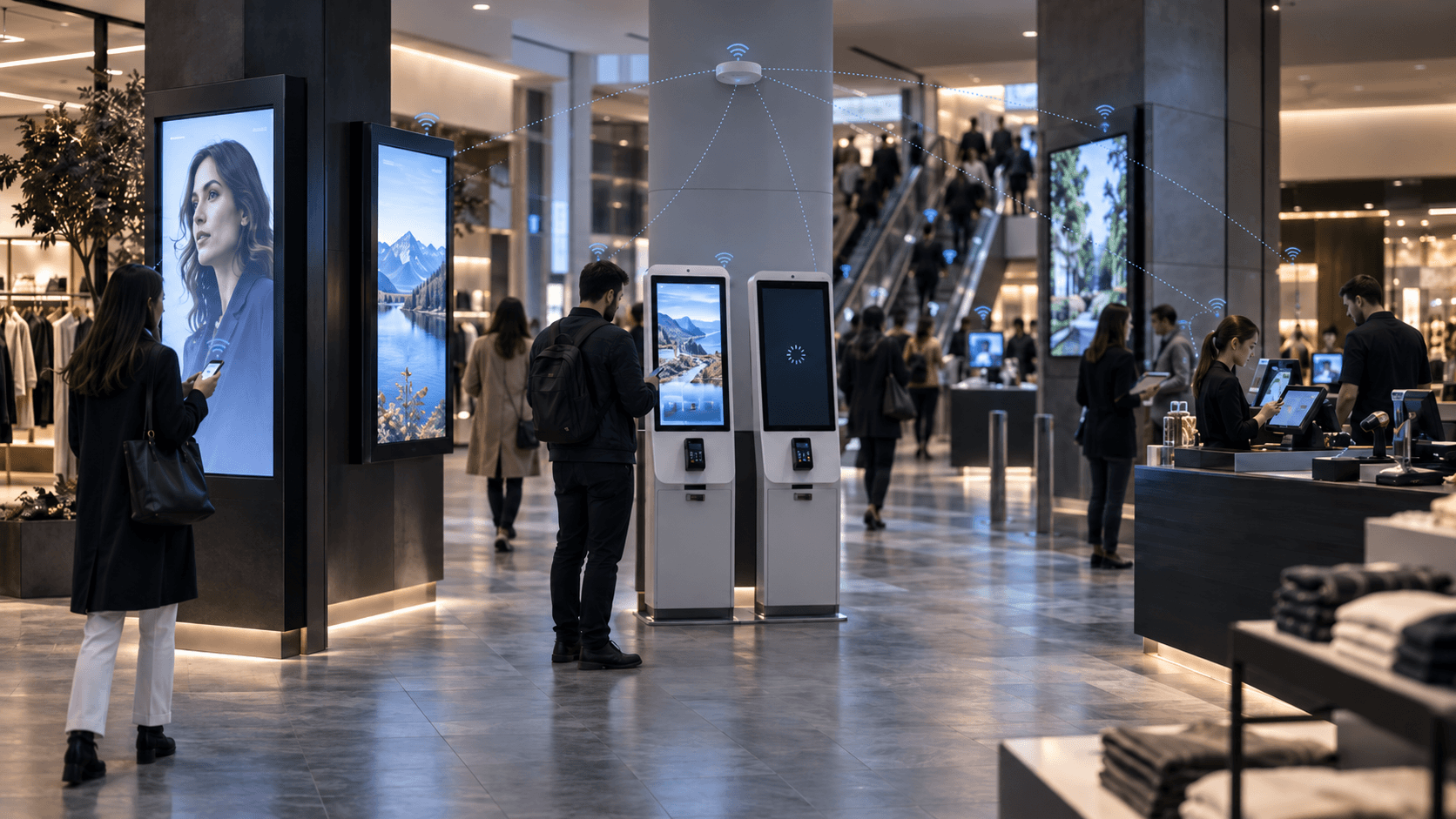
1. Outages You Cannot Predict Can Lead to Missed Impressions
Store and venue Wi‑Fi is usually designed for people, not for always‑on advertising infrastructure. That means it can be affected by routine events like router reboots, ISP maintenance, or simple human error.
When the network drops, your screens may go offline without warning. For a DOOH or retail media operator, each minute offline can mean:
- Missed impressions that were already sold or bid on
- Campaigns that under‑deliver and may need make‑goods
- Lost transactions on revenue‑generating kiosks and vending screens
In programmatic DOOH, buyers often look for networks that can consistently meet uptime expectations. Screens that frequently dip below these levels may receive less demand over time, even after they come back online.
The business impact is straightforward. Fewer impressions delivered means lower revenue and weaker performance versus what was promised to advertisers.
2. Shared Bandwidth Can Slow Down Creative and Affect the Viewer Experience
Most venue networks carry many types of traffic at once. Guest devices, staff phones, POS systems, card readers, and sometimes streaming TVs all share the same connection.
Digital signage needs two things from the network:
- Enough bandwidth to download new creative, playlists, and updates
- A small but steady stream for heartbeats, health checks, and proof‑of‑play logs
During busy periods, that shared pipe can get congested. Content pushes may stall, and screens can buffer or freeze on older creative. The screen is still on, but the ad experience does not look as intended.
For retail media and DOOH teams, this can show up as:
- Lower effective viewability because creative does not refresh on time
- Questions from advertisers about why certain ads did not appear as planned
- A less consistent in‑store experience for venue partners and shoppers
Congestion does not always look like a full outage. It often looks like slow or uneven delivery that quietly affects campaign quality over time.
3. Gaps in Proof‑of‑Play Can Make Reporting and Billing Harder
Proof‑of‑play, often called PoP, is the record that shows which ads ran, where, and for how long. It is a key part of billing, reporting, and programmatic eligibility.
PoP depends on a steady connection to send logs from each screen back to your platform. If the venue Wi‑Fi drops or becomes unstable, these logs can be delayed, incomplete, or lost. That can create three challenges:
- Less confidence when billing for impressions you believe ran
- Advertisers and agencies asking more questions about your reporting
- Programmatic platforms seeing inconsistent data and potentially reducing demand for that inventory
Many retail media and DOOH networks treat uptime and reliable PoP as a basic requirement for programmatic participation. Demand-side platforms may deprioritize screens that often go offline or fail to report.
In practice, unstable Wi‑Fi does not just cause outages. It can create data gaps that make your inventory look less predictable to buyers.
4. Security Events on the Venue Network Can Affect Your Screens
When your screens share a network with a venue’s POS, guest Wi‑Fi, and other devices, you are part of that network’s security landscape. If the venue experiences a ransomware attempt, malware outbreak, or security lockdown, your screens can be taken offline as part of the response.
Because you do not control the infrastructure, you also do not control:
- How quickly the network is restored
- Whether your devices are allowed back on after a security event
- What security policies or firewall rules are applied in the meantime
For a DOOH or retail media operator, a security incident on someone else’s network can mean:
- Sudden, network‑wide screen outages across multiple locations
- Inability to push emergency content or updates during a crisis
- Longer downtime while the venue IT team focuses on their core systems first
This risk becomes more important as networks scale. One venue security issue can affect many revenue‑generating screens that all depend on that single network.
5. Password Changes, Portals, and Firewall Rules Can Break Connectivity Without Warning
Venue IT teams regularly update Wi‑Fi passwords, rotate credentials, or adjust firewall rules as part of normal operations. These changes are invisible to you until your screens stop connecting.
Common breaking changes include:
- Wi‑Fi password or SSID changes that require manual re‑enrollment
- Captive portals that require a click‑through, which media players cannot complete
- New firewall rules that block the outbound traffic your CMS, player, or analytics need
The result is often a silent failure. The screen appears powered on in the store, but it cannot reach your platform to fetch content or send logs. Teams may not notice until an advertiser asks why a campaign did not run or a store manager reports stale creative.
For operators managing many locations, chasing down credential and firewall issues on external networks can become a reactive operations burden. It diverts time from growth, sales, and campaign optimization.
6. Less Visibility Can Mean Slower Troubleshooting and More Site Visits
When your screens rely on venue Wi‑Fi, you depend on the venue to notice and fix network problems. That can create a gap between what your platform reports and what is actually happening on the ground.
Typical symptoms include:
- Devices marked as offline in your dashboard with no clear reason
- Intermittent connectivity that does not show up on simple speed tests
- Uncertainty about whether an issue is the player, the content, or the venue network
Without clear visibility, teams often resort to:
- Escalating to store or venue staff who may not prioritize signage
- Sending technicians to site to reboot or reconfigure devices
- Assuming hardware failure and replacing players that were actually fine
Each unnecessary site visit adds cost and delays revenue recovery. For distributed DOOH, kiosk, and retail media networks, these costs add up quickly as the footprint grows.
Operators who control their own connectivity can see signal strength, carrier, data usage, and device health in one place. That visibility turns vague network issues into specific, fixable problems.
7. Scaling Becomes More Complex When Every Site Depends on a Different Network
At pilot scale, relying on store or venue Wi‑Fi can feel manageable. You can work around variations on a per-site basis. As you add locations, the complexity grows faster than the number of screens.
Each new venue may have:
- A different ISP, router model, and Wi‑Fi setup
- Unique security policies and IT contacts
- Its own schedule for maintenance and changes
That variability can make it harder to:
- Guarantee consistent uptime across the network
- Provide advertisers with reliable SLAs and performance expectations
- Onboard new locations quickly without long back‑and‑forth with venue IT
For retail media and DOOH operators, this can slow growth and weaken your value proposition. Advertisers and agencies want predictable delivery across a network, not inconsistent performance managed on a case-by-case basis.
Controlling your own connectivity layer turns each new site into a repeatable deployment instead of a new set of unknowns. That consistency is what allows networks to scale with confidence.
How Operators Are Thinking About Owned, Carrier‑Grade Connectivity
Many DOOH, retail media, and kiosk operators are moving toward connectivity they can manage end to end. The goal is to protect the revenue and reporting that depend on always‑on screens.
Common elements of this approach include:
- Dedicated cellular connections for each screen or site, using multi‑carrier SIMs so devices can switch between networks if one has an issue
- Remote router and device management so teams can see status, reboot, and troubleshoot without visiting the site
- Failover designs that use cellular as primary and venue Wi-Fi as backup, or vice versa, depending on the location
- Centralized dashboards that show uptime, signal quality, data usage, and proof‑of‑play health across the entire network
This model keeps signage traffic off the venue’s payment and guest networks where possible, prevents connectivity single points of failure, reduces PCI and security scope, and gives operators a clear line of sight into every device.
The business outcome is simple: more stable delivery, cleaner reporting, and stronger trust from advertisers and venue partners.
Questions DOOH and Retail Media Teams Are Asking
If you work in DOOH, retail media, or ad‑supported kiosk networks, you may be searching for answers to questions like:
- Why do my screens go offline in stores?
- Is venue Wi‑Fi reliable for digital signage?
- Why are retail media screens not delivering campaigns?
- Why are there digital signage Wi‑Fi problems?
- Why is proof‑of‑play not matching what ran in store?
These searches point to the same underlying theme. Connectivity that is not designed specifically for revenue‑generating screen networks can create hidden friction.
The seven risks above help explain why many operators are rethinking who owns the network behind their screens. The aim is not to add complexity, but to remove the hidden risks that can cause missed impressions, broken reporting, and lost revenue.
Turning Connectivity Into a Revenue Asset
For modern DOOH and retail media networks, connectivity is part of the revenue infrastructure. When screens stay online and report accurately, campaigns deliver, advertisers stay confident, and venue partners see consistent value.
When connectivity is unstable, the opposite can happen. Impressions disappear, proof‑of‑play gaps create billing questions, and programmatic demand may pull back from inventory that looks less predictable.
Operators who treat connectivity as a strategic layer, not an afterthought, often gain:
- Higher effective uptime across their footprint
- Cleaner, more trustworthy proof‑of‑play and analytics
- Stronger positioning when selling to advertisers and agencies
- Fewer emergency calls from stores and venues about broken screens
That shift often starts with a simple question. If this network drives real revenue, should we rely on a Wi‑Fi password we do not control?